How To Use Dash Social in Your Social Media Workflow
A practical guide to planning, publishing, reporting, and proving social impact with Dash Social.
Contents
What Is Dash Social and Who Is It For?Why Social Teams Need a Centralized WorkflowHow Dash Social Connects With Your Broader Marketing StackHow To Use Dash Social Step by StepA Sample Daily, Weekly, and Monthly Dash Social WorkflowBest Practices for Getting More Value From Dash SocialDash Social Features That Matter Most by RoleDash Social Use Cases by Team GoalHow To Measure Success in Dash SocialDash Social FAQs
Social teams are expected to move fast, stay strategic, and prove impact across more channels, formats, creators, and campaigns than ever. That’s hard to do when your workflow lives across native apps, spreadsheets, shared drives, screenshots, and disconnected reporting tools.
Dash Social brings the core pieces of modern social media management into one platform, with brand-specific AI built into the workflow. Teams can plan content, choose creative, schedule posts, manage community, measure performance, and connect social data to the rest of the business with insights shaped by their own brand.
Spend less time managing the process and more time making decisions that move your strategy forward.
Key Takeaways:
- Dash Social is a social media management platform built for social-first marketing teams that need a clearer way to manage content, community, creators, campaigns, and reporting.
- A centralized workflow helps teams reduce manual work, improve data quality, speed up approvals, and keep social strategy connected across owned, creator, and paid efforts.
- Dash Social supports daily execution and senior-level reporting, from Scheduler and Library to Community, Dashboards, Analytics, Campaigns, Social Listening, and Creator Management.
- Integrations and exports help teams connect Dash Social data to business intelligence tools, customer relationship management workflows, and social commerce experiences.
- The strongest Dash Social workflows are built around business goals, clean tagging, consistent approval standards, and performance signals that help teams make smarter creative decisions.
What Is Dash Social and Who Is It For?
Dash Social is a social media management platform powered by brand-specific AI that helps teams plan, publish, measure, and optimize content across their full social footprint. It combines workflow tools with cross-channel insights, so social teams can move faster and make decisions backed by data.
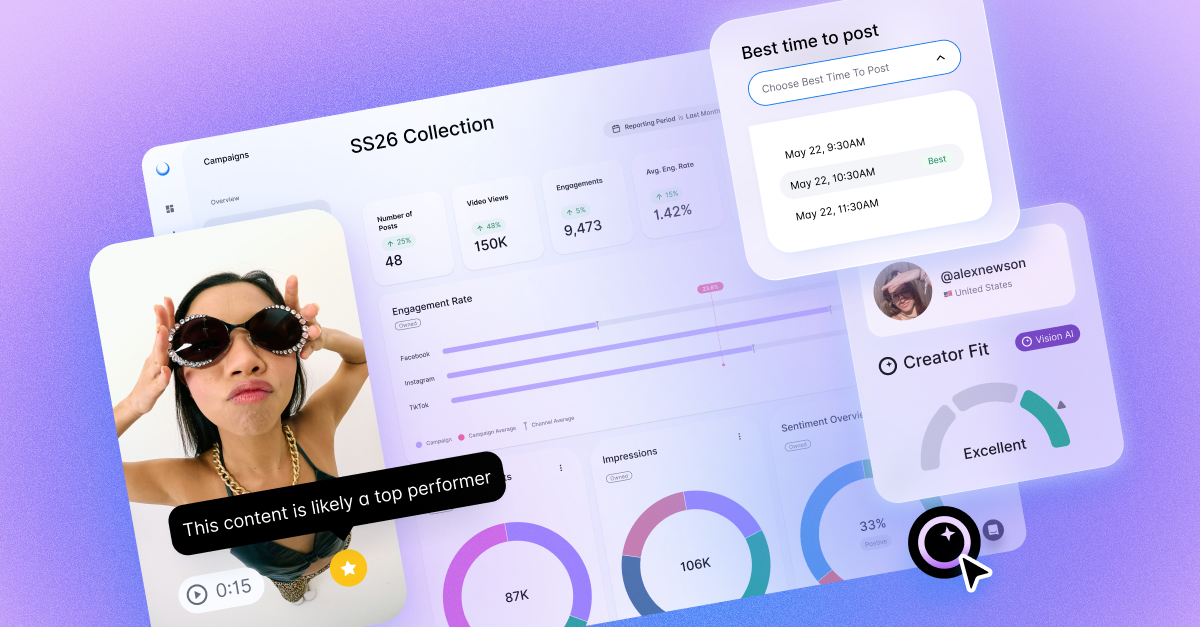
At the center of Dash Social is Vision AI, a brand-specific AI that learns from your historical content performance to help identify which creative is most likely to resonate before you post.
Dash Social is built for marketing teams that see social as a growth channel. That includes teams managing organic social, creator marketing, paid social, community engagement, e-commerce traffic, and executive reporting.
For many brands, social is where product discovery, entertainment, customer conversation, and purchase intent all happen at once. Dash Social gives teams a central place to understand what’s working, why it’s working, and what to do next.
What Dash Social helps social teams do
Dash Social helps social teams manage the work that happens before, during, and after a post goes live.
Before publishing, teams can organize creative assets, evaluate content performance signals, plan campaigns, and build approval workflows. During publishing, they can schedule content across channels, coordinate campaign timing, and keep teams aligned. After publishing, they can measure performance, monitor conversations, track campaign impact, and report results in a format stakeholders can understand.
That matters because social teams rarely need more raw data. They need better ways to turn that data into action. Dash Social supports that by connecting content planning, creative insights, community workflows, creator performance, and reporting in one place.
Who should use Dash Social
Dash Social is a strong fit for consumer-facing brands that prioritize social marketing and manage multiple channels, regions, brands, or social sets. It’s especially useful for social-forward industries like beauty, fashion and luxury, retail, consumer packaged goods, travel, media, publishing, and entertainment.
The platform is designed for teams that work across social, creator, paid, e-commerce, community, and analytics. A social media manager might use Dash Social to plan and publish content. A creator marketing manager might use it to track creator content and campaign performance. A director might use Dashboards and Campaigns to understand what’s working across brands or regions. An executive might use reporting exports and business intelligence integrations to connect social performance to larger business goals.
Dash Social is also useful for teams that want a system of record for social. When posts, campaigns, creator activity, community engagement, and reporting live in separate places, it becomes harder to see the full picture. Dash Social gives teams one place to work from.
When Dash Social is a better fit than native tools alone
Native tools can be useful for simple publishing or quick checks inside a single platform. They become harder to manage when a brand needs consistent planning, reliable reporting, multi-channel coordination, creator visibility, approvals, and stakeholder-ready insights.
Dash Social is a better fit when teams are spending too much time pulling screenshots, updating spreadsheets, switching between platform dashboards, or rebuilding the same reports every week. It’s also a better fit when leaders need a clear view of social performance across owned, creator, and paid activity.
Native platforms show what happened in one channel. Dash Social helps teams understand performance across the full workflow.

Unlock Your Dash Social Trial
Outsmart social using powerful visual marketing tools. Request a personalized demo today!
Get Started TodayWhy Social Teams Need a Centralized Workflow
Social media has become too complex for scattered systems. A team might plan content in a spreadsheet, store assets in a shared drive, schedule posts natively, review creator content in email, answer community messages in platform inboxes, and build reports manually in slides.
That setup can work for a small team or a short period of time. It breaks down as channels, campaigns, and stakeholders grow.
A centralized workflow gives social teams a shared operating system. It helps everyone see what’s planned, what’s live, what’s performing, and what needs attention.
The limits of managing social in spreadsheets and native apps
Spreadsheets are flexible, but they’re static. Native apps are familiar, but they’re channel-specific. Neither gives teams a complete, real-time view of social performance.
When teams rely on spreadsheets and native tools alone, they often run into the same problems. Reporting takes too long. Data gets outdated quickly. Creative feedback lives in comments, chat threads, or separate documents. Campaign tagging becomes inconsistent. Stakeholders ask for updates that require manual work to answer. New team members have to learn a process that exists more in people’s heads than in a platform.
The risk is bigger than lost time. When data is fragmented, teams can miss trends, repeat low-performing creative choices, or struggle to prove the value of social to leadership.
Common workflow bottlenecks across planning, approvals, and reporting
Most social workflow problems show up in three places.
First, planning becomes difficult when teams cannot easily see upcoming content, campaign priorities, creative assets, and channel-specific needs in one view. That leads to last-minute changes, duplicated work, and missed opportunities.
Second, approvals slow down when feedback is scattered. Social teams need input from brand, creative, legal, regional teams, creator partners, or leadership. Without a clear approval process, posts can get stuck or go live without the right context.
Third, reporting becomes too manual. Social teams often spend hours collecting data, formatting reports, and explaining results instead of analyzing what the results mean. That limits how quickly the team can optimize.
What a modern social media management platform should solve
A modern social media management platform should help teams manage execution and strategy in the same place.
It should make it easier to plan content, schedule posts, manage approvals, respond to community interactions, track campaigns, and measure performance across channels. It should also help teams understand creative impact, compare performance, report to stakeholders, and connect social data to broader business systems.
For social-first brands, the platform should do more than store content and publish posts. It should help the team decide what to post, when to post, what to test, which creators to partner with, and where to invest next.
How Dash Social Connects With Your Broader Marketing Stack
Social data gets more valuable when it can move beyond the social team. Dash Social helps teams connect social performance to reporting systems, customer workflows, and commerce experiences.
That matters because social rarely operates in isolation. Social teams influence brand awareness, website traffic, product discovery, creator performance, customer sentiment, and sales. Connecting Dash Social with the broader marketing stack helps teams show that impact more clearly.
Connect Dash Social with BigQuery
For teams using Google BigQuery, Dash Social data can support more advanced analysis. This helps analytics teams centralize social performance alongside other marketing and business data.
A BigQuery connection can be especially valuable for brands with multiple regions, brands, or social handles. Instead of keeping social reporting separate, teams can build more complete views of performance across the customer journey.
This gives marketing analysts and leaders a cleaner way to answer bigger questions. Which channels are creating momentum? Which campaigns drive traffic? Which creative themes perform across markets? Which social investments are tied to stronger outcomes?
Route community workflows into Salesforce
Community management often sits close to customer experience. Social teams may manage brand engagement, sentiment, product questions, customer comments, and potential issues before they reach a formal support channel.
With Salesforce routing, teams can connect community workflows to customer relationship management processes when needed. This helps social and customer experience teams stay aligned without forcing every social interaction into a traditional support workflow.
For social teams, the value is focus. They can keep building community while making sure important customer interactions reach the right team.
Extend social commerce with LikeShop widgets and galleries
Dash Social’s LikeShop helps brands turn social content into shoppable experiences. Teams can create link-in-bio experiences, widgets, and galleries that connect social discovery to product pages, campaign landing pages, or other conversion paths.
This is especially helpful for brands where social plays a major role in product discovery. Instead of treating engagement and conversion as separate conversations, teams can understand how social content moves audiences closer to action.
LikeShop also helps e-commerce teams see which social content drives traffic and interest, giving them another layer of insight into what customers respond to.
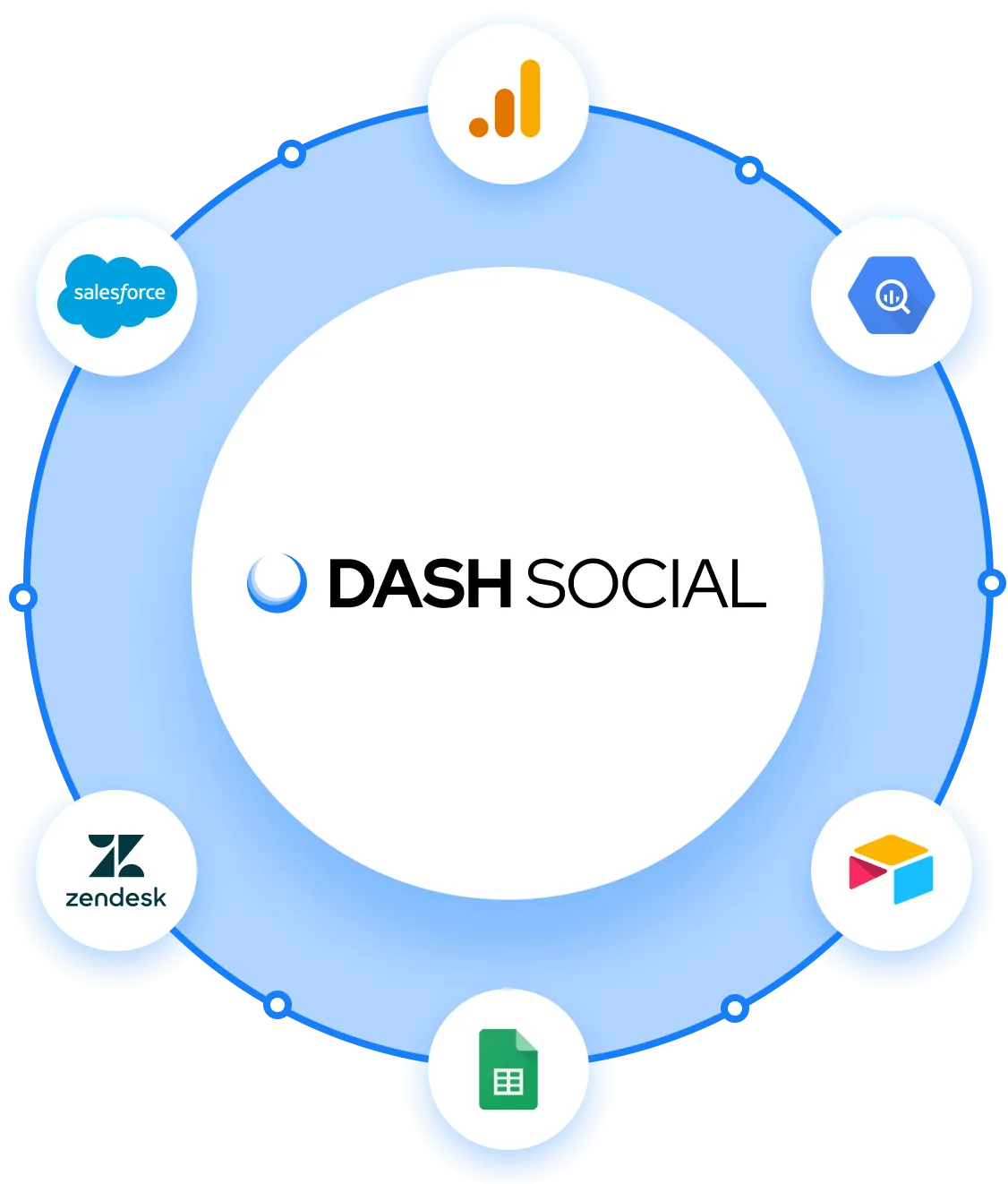
Connect Dash Social to the Tools Your Teams Already Use
Dash Social integrates with the tools your team relies on every day, from social networks and CRMs to BI platforms, DAM systems, and creative tools.
Explore IntegrationsHow To Use Dash Social Step by Step
Dash Social supports the full social media workflow, from content organization and publishing to engagement, reporting, and audience insights. While every team’s process will look slightly different, the steps below show how modern social teams use Dash Social to streamline collaboration, improve decision-making, and measure performance across channels.
Step 1. Organize content and assets in Library
Start by using Library as the central home for your creative assets. This gives social, creative, and marketing teams a shared place to store, review, and access content.
A strong Library setup helps teams avoid digging through folders, chat threads, and old emails to find the right asset. It also helps social teams move faster when building content calendars, responding to trends, or planning campaigns.
To get more value from Library, create a consistent naming and organization system. Group assets by campaign, channel, product, market, content pillar, or creative theme. The goal is to make the right content easy to find when the team needs it.
Step 2. Use AI-powered prediction to choose creative with more confidence
Once assets are organized, teams can use Dash Social’s visual intelligence tools and performance insights to evaluate which creative is most likely to resonate with their audience.
Vision AI is powered by Dash Social’s brand-specific AI, which learns from your historical performance and identifies creative patterns that matter to your brand. Instead of relying only on instinct or past averages, teams can use brand-specific predictions to understand which assets are worth posting, testing, boosting, or saving for future campaigns.
This is especially useful when teams are managing large content libraries, planning campaigns across multiple channels, or choosing between similar assets. Vision AI helps turn creative decisions into a repeatable workflow, so teams can move faster without losing strategic confidence.
Step 3. Coordinate publishing workflows in Scheduler
Use Scheduler to plan, review, and publish content across channels from a centralized calendar. Teams can organize campaigns around key dates, manage posting schedules by platform, and maintain visibility into upcoming content across the business.
Scheduler also helps streamline collaboration between social, creative, brand, and approval stakeholders. Teams can review copy, finalize creative, manage approvals, and tailor posts for each platform without losing sight of the broader campaign strategy.
A centralized publishing workflow helps reduce manual coordination while keeping campaigns organized and on schedule.
Step 4. Manage engagement, sentiment, and audience insights in Community
Once content is live, use Community to manage engagement and responses. This gives teams a central place to monitor comments, messages, mentions, and audience interactions across channels.
Beyond responding to messages, Community helps teams identify trends in audience sentiment, recurring questions, campaign reactions, creator mentions, and customer feedback. Tags and conversation categorization help turn day-to-day engagement into structured insight that can support marketing, creative, customer experience, and product teams.
A consistent tagging strategy also improves long-term reporting by helping teams organize conversations by campaign, product, sentiment, intent, or content theme.
Step 5. Turn social performance into actionable reporting
Use Dashboards and Analytics to monitor performance across channels. This helps teams understand how social content is performing without jumping between native platforms.
Teams can build reporting views around the metrics that matter most to their goals, including engagement, reach, watch time, saves, shares, follower growth, campaign performance, and content trends.
Custom dashboards help teams quickly identify:
- which content formats are driving engagement
- which campaigns are outperforming expectations
- where audience behavior is shifting
- which creative themes deserve more investment
This makes it easier to move from reactive reporting to proactive content strategy.
Step 6. Measure campaign impact across content, creators, and channels
Use Campaigns to group related posts, creators, partnerships, and content initiatives into a unified reporting view.
Campaign-level reporting helps teams evaluate launches, seasonal campaigns, product moments, partnerships, and brand initiatives as a connected effort instead of reviewing posts individually.
Consistent tagging and campaign organization make it easier to compare:
- creative approaches
- content formats
- influencer partnerships
- regional performance
- audience response
- channel effectiveness
Teams can also export reporting data to share with leadership, marketing stakeholders, or external partners.
Step 7. Use social listening and competitor insights to inform strategy
Social Listening helps teams monitor conversations happening beyond owned channels, including brand mentions, competitor activity, industry discussions, and emerging trends.
This broader view helps social teams understand how audiences are reacting in real time and identify shifts in sentiment, content trends, or cultural conversations before they become mainstream.
Competitor insights can also help teams benchmark performance, evaluate content trends across the industry, and identify opportunities to differentiate their creative strategy.
Step 8. Connect social insights to broader business reporting
As teams mature their social strategy, Dash Social data can be integrated into broader reporting workflows alongside marketing, customer, and business intelligence data.
Connecting social insights to executive reporting helps teams demonstrate how content performance, audience engagement, creator partnerships, and brand sentiment contribute to larger business goals.
This makes social easier to measure as part of the full customer and marketing ecosystem rather than as a standalone channel.
Unlock Your Dash Social Trial
Outsmart social using powerful visual marketing tools. Request a personalized demo today!
Get Started TodayA Sample Daily, Weekly, and Monthly Dash Social Workflow
Dash Social can support different team rhythms. The right workflow depends on team size, channel mix, campaign volume, and reporting needs. Here’s a practical structure social teams can adapt.
Daily workflow for social managers
Start the day by reviewing scheduled content and confirming anything going live. Check Scheduler for timing, copy, creative, approvals, tags, and campaign alignment.
Next, review Community. Respond to priority comments and messages, monitor sentiment, tag recurring themes, and route any customer experience issues to the right team.
Then check Dashboards for performance changes. Look for top-performing posts, underperforming content, engagement shifts, video performance, follower changes, and any unusual spikes in activity.
Finally, use those insights to adjust the day’s priorities. That could mean resharing a strong post, responding to a trend, updating a caption, pulling a high-performing asset into a future campaign, or flagging an insight for the team.
Weekly workflow for reporting and planning
Once a week, review channel performance, campaign progress, content themes, and community trends. Look at what performed well, what missed expectations, and what the team should test next.
Use Dashboards and Analytics to compare performance across platforms. Use Campaigns to track active initiatives. Use Social Listening and competitor insights to understand what’s happening in the broader market.
Then bring those insights into the next planning cycle. Update the content calendar, refine campaign tags, brief creative on what’s working, and share a short performance summary with stakeholders.
A strong weekly workflow should answer three questions. What happened? Why did it happen? What are we doing next?
Monthly workflow for campaign reviews and optimization
At the end of the month, use Dash Social to review bigger performance patterns. Look across campaigns, channels, creator partnerships, content pillars, community themes, and traffic from social.
Monthly reporting should help the team understand progress against goals. That might include engagement growth, content efficiency, campaign impact, creator results, website clicks, sentiment, response volume, or time saved through automation.
This is also the right time to clean up your workflow. Review tags, dashboard views, approval steps, campaign naming, and export formats. Small improvements to your operating system can make reporting and planning much easier over time.
Best Practices for Getting More Value From Dash Social
Dash Social works best when teams use it as a decision-making system, not only a publishing tool. The platform can support planning, execution, reporting, and optimization, but the strongest results come from clear goals and consistent habits.
Build dashboards around business goals, not vanity metrics
A good dashboard should help the team make decisions. Start with the business goal, then choose the metrics that help explain progress.
If the goal is awareness, prioritize reach, impressions, video views, follower growth, share of voice, and brand mentions. If the goal is engagement, prioritize engagement rate, saves, shares, comments, watch time, and sentiment. If the goal is conversion, prioritize clicks, LikeShop activity, traffic quality, product interest, and campaign attribution.
Vanity metrics are not useless, but they need context. A follower increase means more when you understand what drove it. A viral post means more when you know whether it reached the right audience or supported the campaign goal.
Use platform-specific workflows for TikTok, Instagram, YouTube, and LinkedIn
Each channel has its own audience behavior, content format, and performance signals. A strong Dash Social workflow should account for those differences.
For TikTok, teams may focus on entertainment signals, watch time, trending sounds, creator content, and fast creative testing. For Instagram, they may focus on visual performance, saves, shares, Stories, Reels, UGC, and LikeShop traffic. For YouTube, they may focus on video performance, audience retention, and search-driven discovery. For LinkedIn, they may focus on thought leadership, engagement quality, executive visibility, and referral traffic.
Use Dash Social to plan across channels, but avoid treating every channel the same. The content should feel native to the platform and connected to the larger brand strategy.
Create approval and tagging standards for cleaner reporting
Clean reporting starts before content goes live. Create standards for approvals, campaign names, content tags, creator tags, product tags, and channel tags.
This keeps reporting consistent and reduces cleanup later. It also helps teams compare performance in more useful ways. For example, instead of only seeing which post performed best, the team can see which content pillar, creator type, product category, or creative format is driving stronger results.
Approval standards should be just as clear. Decide who reviews what, how feedback should be shared, and when content is ready to publish. This helps teams move faster without creating confusion.
Use benchmarks and competitor signals to guide creative decisions
Your owned performance data tells one part of the story. Benchmarks and competitor signals add context.
Use Dash Social to understand how your content performs against past results, competitor activity, and broader industry patterns. This helps teams make smarter calls about creative direction, platform investment, campaign timing, and content formats.
The goal is not to copy competitors. It’s to understand the market, identify opportunities, and make creative decisions with more confidence.
Dash Social Features That Matter Most by Role
Different roles use Dash Social in different ways. A strong workflow should support the people doing the day-to-day work and the leaders who need to understand results.
For social media managers
Social media managers use Dash Social to plan content, manage calendars, choose creative, monitor performance, and report results. Scheduler, Library, Vision AI, Dashboards, Analytics, Campaigns, and Social Listening are especially useful.
For this role, the biggest value is speed and clarity. Dash Social helps social managers spend less time switching between tools and more time improving content performance.
For community teams
Community teams use Dash Social to manage conversations, monitor sentiment, tag interactions, and route important messages. Community helps teams stay responsive while creating a clearer record of what audiences are saying.
This is especially useful for brands with high engagement volume or frequent product questions. It helps community teams understand what needs action and what audience feedback should be shared more broadly.
For creator marketing teams
Creator marketing teams use Dash Social to bring creator activity closer to the rest of the social strategy. Creator Management, Campaigns, UGC, Vision AI, and reporting tools help teams identify creator content, track deliverables, measure performance, and understand impact.
This matters because creator content does not exist separately from social. Audiences experience owned, creator, and paid content together. Dash Social helps teams measure those efforts in a more connected way.
For directors and executives
Directors and executives use Dash Social to understand performance across brands, regions, campaigns, and teams. Dashboards, Analytics, Campaign reporting, exports, BI connections, and competitive insights help leadership see what’s working and where to invest.
For this group, the value is confidence. Dash Social helps turn social performance into clear reporting that connects to strategy, budget, and business outcomes.
Dash Social Use Cases by Team Goal
Dash Social can support a wide range of social media goals. The best setup depends on what your team is trying to improve, whether that’s faster publishing, cleaner reporting, stronger creator programs, sharper market insight, or more traffic from social.
The value comes from using these features together. When publishing, reporting, creator activity, listening, and commerce data live in one workflow, teams can see what’s working faster and make clearer decisions about where to focus next.
How To Measure Success in Dash Social
The best Dash Social reporting starts with a clear question. What are you trying to prove, improve, or understand?
Instead of tracking every available metric, build your measurement plan around the outcomes that matter most to your team.
To measure total social impact
Use Total Social Impact (TSI) to understand how your brand is performing across your full social footprint.
TSI gives teams one clear score to track cross-channel momentum, prove the overall value of social, and add context to campaign, creator, and UGC performance. Pair it with core KPIs like engagement rate, reach, sentiment, traffic, and conversions to connect high-level impact with the details behind it.
To measure content performance
Focus on the signals that show whether your content is resonating.
Engagement rate, Entertainment Score, comments, saves, shares, reach, impressions, and video views can help your team understand what audiences notice, interact with, and come back to. These metrics are especially useful when comparing formats, creative themes, campaigns, and channels.
To measure community health
Use community metrics to understand the quality of your audience interactions.
Sentiment, response rate, response time, comment themes, and message volume can help your team see how people feel about your brand, what they need from you, and where recurring questions or issues arise.
To measure traffic and conversion
Track the metrics that connect social activity to action beyond the feed.
Link clicks, LikeShop clicks, website sessions from social, product clicks, and conversion events help social and e-commerce teams understand which content drives discovery, traffic, and purchase intent.
To measure creator and campaign impact
Use campaign and creator metrics to see what’s working across your full social mix.
Creator engagement rate, earned media value, campaign engagement, reach, impressions, top creator content, and owned, creator, and paid comparisons help teams understand which campaigns, partnerships, and content formats are worth scaling.
Dash Social FAQs
What is Dash Social used for?
Dash Social is used to manage social media workflows across planning, publishing, community engagement, creator management, social listening, analytics, campaign reporting, and social commerce. Teams use it to centralize social activity, make better creative decisions, and prove the impact of social.
Is Dash Social only for enterprise brands?
Dash Social is built for social-forward brands that need a more scalable way to manage social. It is a strong fit for larger and growing consumer brands with active social teams, multiple channels, creator programs, campaign reporting needs, or complex workflows.
Which social channels does Dash Social support?
Dash Social supports major social channels used by modern marketing teams, including Instagram, TikTok, YouTube, LinkedIn, Facebook, Pinterest, Threads, and Snapchat. Available features can vary by channel based on platform permissions and API access.
Can Dash Social help with creator marketing and reporting?
Yes. Dash Social supports creator marketing workflows through Creator Management, UGC, Campaigns, and reporting tools. Teams can use Dash Social to manage creator activity, track campaign content, evaluate performance, and connect creator results to owned and paid social insights.
How does Dash Social support community management and sentiment analysis?
Dash Social’s Community tools help teams monitor and manage social interactions in one place. Teams can respond to comments and messages, tag conversations, monitor sentiment, and route important interactions to the right team when needed.
How does Dash Social support AI-assisted decision-making?
Dash Social uses brand-specific AI and performance signals to help teams understand what content is likely to perform, which creative patterns matter, and how to make stronger social decisions. Vision AI helps teams evaluate creative before posting, while broader insights help guide content, creator, and campaign strategy.
Does Dash Social offer API access for reporting and integrations?
Yes. Dash Social supports reporting exports and integrations that help teams bring social data into business intelligence tools and other reporting workflows. Teams can use these connections to centralize social performance with broader marketing and business data.
Can Dash Social power social commerce experiences like shoppable galleries?
Yes. Dash Social’s LikeShop supports shoppable social experiences, including link-in-bio pages, widgets, and galleries. This helps brands connect social content to product discovery, website traffic, and conversion paths.