10 Trending TikTok Sounds And How To Use Them (Updated Monthly)
Press play on this month’s most popular TikTok songs, sounds, and creative usage ideas.


The right song can make or break your TikTok content. Whether the audio is part of a specific TikTok trend or simply adds the perfect vibe to a song, TikTok sounds set the mood for your content and can even help direct your content to the right audience.
In TikTok marketing, sounds play a crucial role in how brands capture attention and connect with viewers. A trending audio can push your content to new audiences, boost engagement, and make your brand feel part of the cultural moment.
Key Takeaways:
- Trending TikTok sounds help brands increase discoverability, boost engagement, and reach new audiences.
- The right song can set the mood for your content and strengthen storytelling without needing heavy production.
- Seeking out approved-for-business sounds keeps brands compliant while still tapping into current cultural moments.
- Early adoption can be a game-changer for brands. Jumping on a trend before it peaks can help smaller brands stand out and go viral.
10 Trending TikTok Songs
On a platform where the right sound can make or break your content, finding the perfect song to complement your content can seem like a daunting task. To make your search for the perfect sound easier, we’ve rounded up the 10 most popular songs trending across TikTok right now and update them every month.
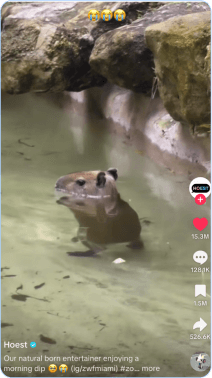
1. Bounce (i just wanna dance) - фрози & joyful (8M Videos)
This approved for business use song is a fun and upbeat instrumental track perfect to back almost anything. It’s perfect for text-heavy content where you want the message to shine with little audio interference, like carousels.
Audio: Bounce (i just wanna dance)
2. DtMF - Bad Bunny (864.1K Videos)
Fresh off a record-breaking Super Bowl performance, Bad Bunny’s song ‘DtMF’ is trending across TikTok. While this song is being used to celebrate the performance, brands can use this song in fun and celebratory content, including GWRM’s, makeup tutorials, and more.
Audio: DtMF - Bad Bunny

3. Where I’m Going - Thundercat (46.4K Videos)
Every few months, you can almost count on a Thundercat song from his 2017 album ‘Drunk’ picking up steam on TikTok. This month, it’s ‘Where I’m Going’, which is a light, yet funky song that’s approved for business use, being used across media and publishing brands, sports content, and tutorials.
Audio: Where I’m Going - Thundercat

4. Nigth - igor g (12.8K Videos)
‘Nigth’ (surprisingly not a typo), is an easy, breezy instrumental that’s perfect to accompany nearly any content. It’s perfect for any content where you’d like to keep the spotlight on the visuals, or as a backing track to content you can’t quite find the perfect song for.
Audio: Nigth - igor g
5. Riptide - Vance Joy (364.4K Videos)
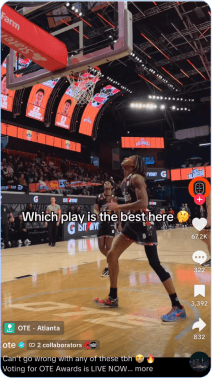
We know 2016 is back, but what about 2013? Vance Joy’s ‘Riptide’ is trending on TikTok, and even better? It’s approved for business use. This sound is being used by the media and publishing industry, the sports industry, to accompany carousel images, and more.
Audio: Riptide - Vance Joy
6. Fate of Ophelia - Taylor Swift (1.9M Videos)
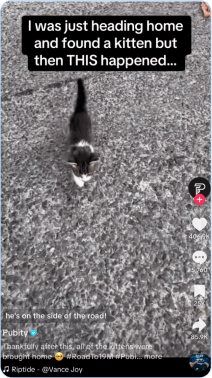
Four months after its release, the ‘Fate of Ophelia’ from Swift’s ’Life of a Showgirl’ continues to trend, with creators using the song to share their version of the song’s dance, or simply as a background song in content focused on food, beauty, fashion, home, and more. So don’t feel intimidated if you don’t like to dance, as this song is well-suited to a variety of content types.
Audio: Fate of Ophelia - Taylor Swift
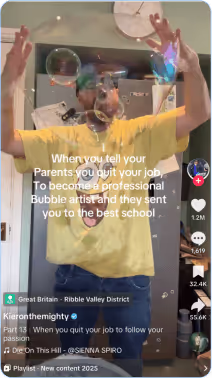
7. Die On This Hill - SIENNA SPIRO (639.6K Videos)
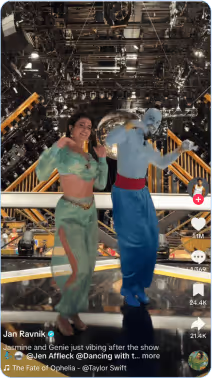
‘Die On This Hill’ is a moving, emotional song, used in a variety of content. Love the song but overtly emotional or heartfelt content isn’t a fit for your brand? Creators are using this song to celebrate or poke fun at even small, lighthearted moments, as seen in the example below of a creator chasing his passion for bubble making.
Audio: Die On This Hill - SIENNA SPIRO
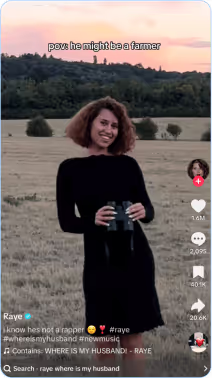
6. WHERE IS MY HUSBAND! - RAYE (176.4K Videos)
This high-energy song is great for love, proposal, or wedding industry content, but is perfectly suited for almost any type of content, from fashion, to beauty, or media and publishing brands, particularly those sharing celebrity romance updates. It’s also been used in comedic content, making this a great option to back a variety of content types.
Audio: WHERE IS MY HUSBAND! - RAYE
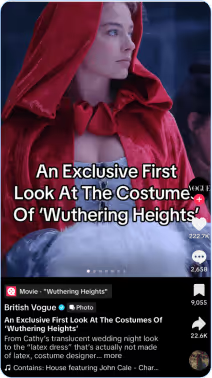
9. House featuring John Cale - Charli xcx & John Cale (55.2K Videos)
‘House’ is a moody audio track by Charli xcx and featuring legend John Cale, written for Emerald Funnel’s upcoming Wuthering Heights adaptation. This audio is being used largely in ‘POV’ content describing a situation you can’t wait to get out of, like your childhood bedroom in your 20’s or school the last day before Winter break.
As of writing, this song has less than 10K uses and is climbing in popularity, making it great option for early adopters.
Audio: House featuring John Cale - Charli xcx & John Cale
10. Upside Down - Diana Ross (46.3K Videos)
If you’ve watched the Stranger Things finale, seeing ‘Upside Down’ on this list likely comes as no surprise. This song is being used in beauty and fashion transitions, often shifting to an actual upside-down perspective and reflecting 80’s style.
Audio: Upside Down - Diana Ross

Why Trending TikTok Sounds Matter
Have you ever had ‘Boy’s a Liar’, ‘Pretty Little Baby’, or ‘Please Please Please’ stuck in your head on an infinite loop? It’s highly likely that’s because of TikTok. Trending sounds hold weight on social media, and when brands and creators tap into a popular audio trend, their videos become part of a larger conversation that TikTok’s algorithm is already prioritizing.
Here are some other reasons why trending songs on TikTok are important:
- They boost discoverability by helping content join trending conversations that the algorithm favors.
- They tap into shared cultural moments that make videos feel current and relatable.
- They give brands a creative framework that’s easy to remix and adapt.
- They can increase watch time since users are more likely to engage with familiar sounds and TikTok trends.
How To Find TikTok Trending Sounds
With so many sounds circulating on TikTok, it can be difficult to balance becoming an early adopter of trends and incorporating trending sounds that can propel your content to the FYP. Some trending songs on TikTok stick around longer than others, so knowing where to look can make all the difference when planning your content. Here are some must-check spots to look when sourcing trending TikTok sounds.
Use TikTok Creative Center
The TikTok Creative Center is one of the best (and easiest) tools for identifying current and emerging trends, especially if you’re a brand with a TikTok business account and are limited to songs with an ‘approved for business use’ designation.
Within the ‘Music’ section, you can sort by region, industry, and performance metrics like usage growth or play count to drill down to the most relevant trending songs. It’s also a great way to uncover sounds gaining traction before they peak.
Use TikTok Recommendations
Consider TikTok’s FYP a personalized window into what’s trending. Your FYP is informed by the TikTok algorithm and is catered to your likes, dislikes, and content that similar users prefer, meaning it’s highly likely that any songs that appear repeatedly or simply catch your attention will resonate with your audience, too.
Explore Spotify and Apple Music Playlists
While not every popular song will make its way to trending status on TikTok, it’s safe to say that many do. Follow different playlists curated by Spotify that share popular music, or go a step further and follow different playlists curated specifically with TikTok in mind. Combing through these playlists is a great place to start if you’re interested in incorporating trending songs into your content.
Look at Trending Instagram Reels Songs
Instagram Reels often share overlapping audio trends with TikTok, but sometimes songs trend there first. Scrolling through Reels is a great chance to find song opportunities that you might not have seen on TikTok yet. If you have an Instagram business account, you can access the ‘Trending Audios’ tab in your professional dashboard to scope out what’s trending.
Pay Attention to Billboard 100
Chart-topping songs often influence what’s popular on TikTok. While not every Billboard hit becomes a viral sound, many do. Watching which tracks are rising on the Hot 100 can help you anticipate what might trend next on the app.

TikTok Sound FAQs
What are the most popular sounds on TikTok?
Popular TikTok sounds change quickly, but they usually come from trending songs, viral snippets, memes, or original creator audio. You can find them by exploring TikTok’s “Sounds” tab or checking what’s trending on the For You page.
How do you download TikTok sounds?
You can’t officially download sounds directly from TikTok, but you can favorite or save them within the app to use later. If you need a sound for editing outside the app, you can use TikTok’s web version or third-party tools, just be sure you have rights to use the audio.
How do I trim a sound on TikTok?
When adding a sound to your video, tap the ‘scissors’ icon to open the trimming tool. From there, you can drag the waveform to start or end the audio exactly where you want it to play.
Can you add two sounds to a TikTok?
You can’t layer two TikTok sounds natively, but you can combine music and original audio by recording voiceovers, adding sound effects, or editing your clips in a third-party app before uploading.
Can you block a sound on TikTok?
TikTok doesn’t let you block individual sounds, but you can tap ‘Not interested’ on videos using a sound to train your algorithm to show fewer of them over time.
How do I Duet on TikTok with sound?
When creating a TikTok duet, make sure the “Use original sound” option is toggled on. This lets you include both your own voice and the original video’s sound in your Duet. You can adjust the volume balance before posting.
Which trending sounds are royalty-free or approved for commercial use?
Most trending sounds on TikTok are not cleared for commercial use. Brands and businesses should familiarize themselves with TikTok’s Community Guidelines and use TikTok’s ‘Commercial Music Library’, which includes pre-approved, royalty-free tracks specifically for marketing and business accounts.
Do videos using trending sounds perform better than non-trend sounds?
Generally, yes. Videos that use trending or recognizable sounds are more likely to appear on the For You page because the algorithm connects users through shared audio behavior. However, performance depends on timing, creativity, and how naturally the sound fits your content.
How long do TikTok sound trends typically last?
Most sound trends last one to three weeks before engagement drops off, though some linger for months if they spark strong meme potential or cross into multiple niches. The key is to act quickly while a sound is peaking.
How do you make a sound on TikTok?
To make your own custom sound on TikTok, follow these steps:
- Upload or film your content, including the original sound you want to create.
- Click ‘Add Sound’ at the top of the recording screen.
- From there, you can click your added sound to preview it.
- Next, click the ‘Favorites’ button to save your sound, or ‘Edit’ if you’d like to make further adjustments to the clip.
.avif)
