Understanding the Facebook Reels Algorithm
Learn how Facebook recommends Reels and what brands can do to improve performance.


Facebook Reels have become a key discovery surface for brands looking to reach new audiences and increase engagement on the platform. As Meta continues to prioritize video and recommendations, brands need to understand how Facebook's recommendation systems evaluate content, what influences visibility and which tactics help Reels resonate with audiences.
In this guide, we'll explain how the Facebook Reels algorithm works, break down current Reels specifications and share best practices to help brands improve visibility, engagement and overall performance.
Key Takeaways:
- Facebook uses AI-powered recommendation systems to determine which Reels users see.
- Watch time, engagement and content relevance all influence Reels performance.
- Optimizing video quality, format and audience relevance can improve discoverability.
- Consistent measurement helps brands identify which Reels resonate most with viewers.
- Benchmarking performance over time can uncover opportunities to refine your strategy.
How Does the Facebook Reels Algorithm Work?
Facebook uses AI-powered recommendation systems to determine which Reels users are most likely to watch, engage with and enjoy. Rather than showing the same content to everyone, Facebook personalizes the Reels experience based on individual interests, viewing habits and engagement patterns.
To decide which Reels to recommend, Facebook evaluates a variety of signals, including watch time, engagement, content quality, previous viewing behavior and user interests. These signals help Facebook predict which videos are most likely to be relevant to each viewer and keep them engaged on the platform.
While the exact ranking systems are constantly evolving, brands that create engaging, audience-focused content are more likely to earn visibility through Facebook's recommendations.


Facebook Reels Specifications
Following Facebook's recommended specifications can help ensure your Reels look professional, display correctly across devices and provide the best possible viewing experience.
Facebook Reels Video Requirements
For best results, use the following specifications when creating Facebook Reels:
- Recommended aspect ratio: 9:16 (vertical)
- Recommended resolution: 1080 x 1920 pixels
- Recommended format: MP4 or MOV
- Recommended video codec: H.264
- Supported frame rate: 24–60 FPS
- Recommended orientation: Vertical video
- Maximum file size: 4GB
- Square pixels
- Progressive scan
While Facebook Reels were historically limited to 90 seconds, Meta has transitioned Facebook video publishing to the Reels format and continues to support a variety of video lengths. Brands should focus on creating videos that match audience expectations and hold attention, regardless of duration.
Facebook Reels Audio Requirements
To maintain audio quality, use the following settings whenever possible:
- Channels: Stereo
- Audio codec: AAC
- Sample rate: 44.1kHz or 48kHz
- Audio bitrate: 128kbps or higher
Because Facebook continuously updates its video products and publishing workflows, it's a good idea to review Meta's latest documentation before launching large campaigns or producing content at scale.
Facebook Reels Best Practices
To improve visibility and engagement, brands need to create content that aligns with audience interests and encourages meaningful interactions. For Facebook Reels, understanding your Facebook marketing strategy and goals is step one. Next is understanding how Facebook's recommendation systems evaluate content to help inform your creative strategy. The following best practices can help improve your chances of reaching the right audience and maximizing Reels performance.
Understand Your Audience
18-24, 25-34? What is your sought-after target audience on Facebook? Prioritize content that triggers a connection. When your audience watches your Reel you want them to relate, so begin by leveraging approachable content, and monitoring how your audience reacts.
Prioritize High-Quality Video
Avoid low-quality content and clearly showcase your content by using good lighting and shooting techniques. This will make the Reel experience more satisfying for your audience and increase its discoverability on the Facebook app. Avoid posting reels that are blurry due to low resolution or uploaded with a border or horizontal — instead, leverage creative tools like text, filters or camera effects.
Cross-Post Reels to Instagram
Meta's cross-posting tools make it easy to share Reels across Facebook and Instagram, helping brands maximize the value of their content. While audiences and performance may vary by platform, cross-posting can help increase visibility and streamline content creation.
As you build your Facebook Reels strategy, review performance on each platform separately to understand what resonates with each audience and identify opportunities for optimization.
Use Audio Strategically
To add some additional interest to your Reels, use music from the Facebook music library or original audio you create or find trending on other Reels. When creating your Reel, select 'Add Music' on the right side, find the specific audio of your choice and preview before it goes live to ensure it sounds great.
Optimize for Vertical Viewing
As mentioned above, there are some requirements for the way your Facebook Reel needs to be recorded. Recording your video vertically (9:16) is a must to ensure your Reels are immersive and easy to watch. Yes, you can still technically post videos that have been shot horizontally, but they are not going to turn out in a way that is pleasing for anyone to watch and enjoy and will leave your account feeling clunky and not professional.
Measure Performance and Refine Your Strategy
Tracking the performance of your Facebook Reels can help you identify what resonates with your audience and uncover opportunities for improvement. Establish your KPIs early and monitor performance over time to understand which content formats, topics and creative approaches drive the strongest results.
Comparing your results against Facebook benchmarks can help you determine whether your engagement, watch time and Viewers are competitive and where there may be room to improve. You can use Facebook's native analytics or a third-party social media management platform like Dash Social to track performance and identify trends.
If you've found success with Reels on Instagram or short-form video on other platforms, use those insights as a starting point, but continue testing and optimizing for Facebook's audience and recommendation systems.
Familiarize Yourself With Facebook's Community Standards
Facebook's Community Standards outline what content is allowed on the platform and can influence how content is distributed and recommended. Understanding these guidelines can help brands avoid content that may be restricted, deprioritized or removed.
Before publishing Reels, review Facebook's latest policies and best practices to ensure your content aligns with platform expectations and is positioned for maximum visibility.
Streamline Facebook Reels Strategy With Dash Social
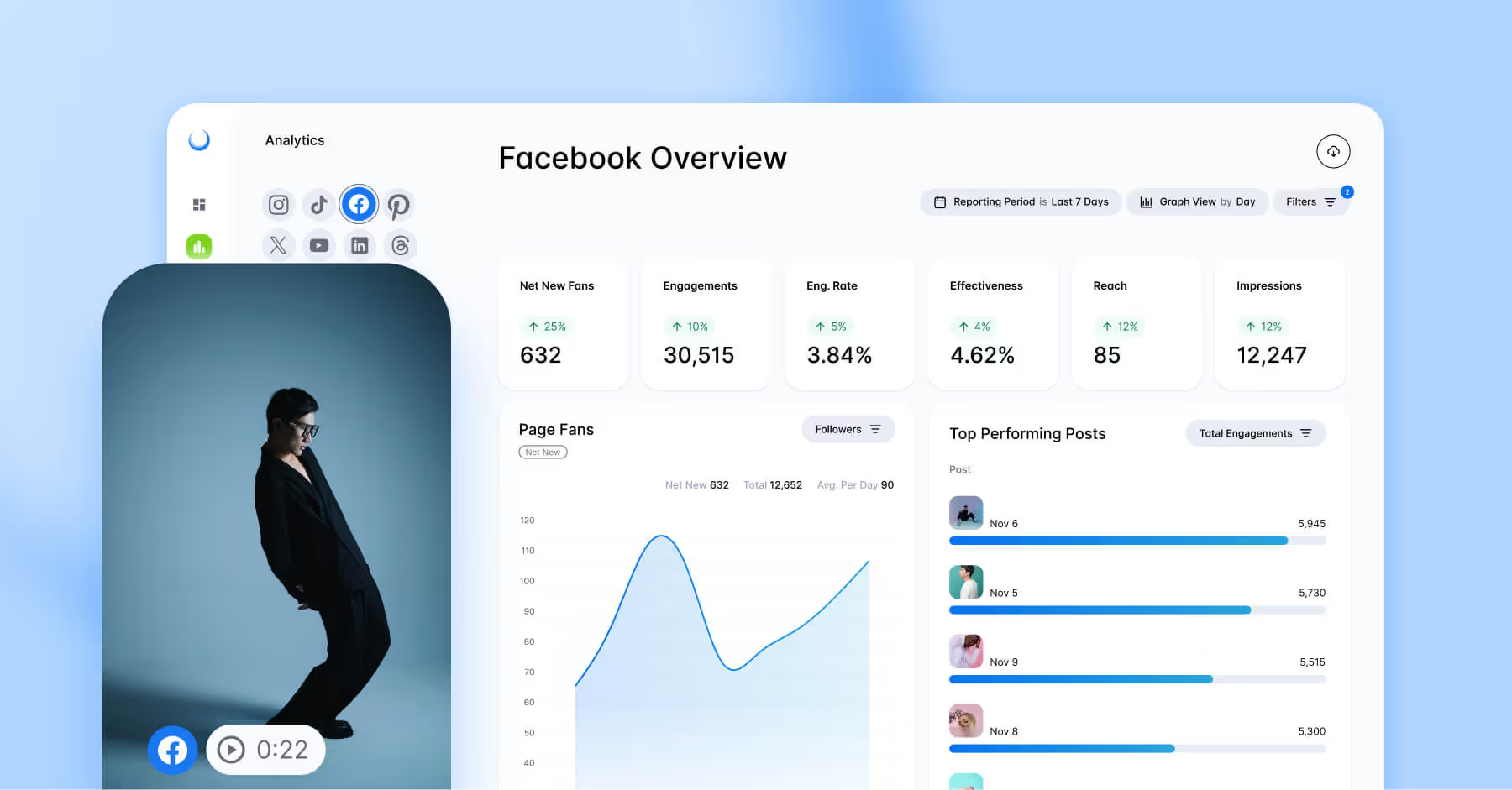
Dash Social's Facebook Insights help brands understand which Reels resonate with audiences, identify performance trends and measure results over time. With Social Analytics and Monitoring , benchmarking and content performance tools in one place, teams can make more informed decisions and optimize their Facebook Reels strategy with confidence.

Facebook Reels Algorithm FAQs
Can you reset your Facebook Reels algorithm?
While there isn't a true reset button for the Facebook Reels algorithm, users can influence the recommendations they see by adjusting Feed preferences and engaging with content they want to see more or less of. Go to ‘Settings and Privacy.’ From there, select ‘Feed.’ Here, you can select which users’ content you’d like to change. Options include:
- Snooze: Mute posts from a user you want a break from but don’t wish to unfriend.
- Unfollow: Permanently prevent a user or page’s content from appearing in your feed entirely without unfriending them.
- Reconnect: In ‘Settings and privacy’, ‘Feed,’ there will be a ‘Reconnect’ heading. Unfollowed users appear here, which you might wish to see on your feed again.
How long can a Facebook Reel be?
Facebook Reels can technically be any length, as Meta has removed maximum duration limits for Facebook video content. All videos posted to the platform are now published through the Reels format.
While longer videos are supported, performance ultimately depends on how well content holds viewers' attention. Brands should focus on creating engaging videos that match audience expectations, whether that's a quick 30-second clip or a longer-form piece of content.
How do I change my Facebook Reels settings?
You can customize your Facebook Reels experience through your account settings and in-app controls. To manage Reels preferences:
- Open the Facebook app and tap your profile menu.
- Select Settings & Privacy, then Settings.
- Navigate to the relevant section, such as Feed Preferences, Audience and Visibility or Reels, depending on the setting you'd like to adjust.
- Update preferences related to Reels visibility, notifications, sharing options and content recommendations.
You can also influence the Reels content you see by interacting with videos you enjoy and using options like Hide Reel, Show More or Show Less on content recommendations. Over time, these signals help Facebook personalize your Reels experience.


.avif)