Best AI Social Media Content Creation Tools for Brands in 2026
Compare the best AI tools for creating, scaling, and optimizing social content.
Contents
What Are AI Social Media Content Creation Tools?Best AI Social Media Content Creation Tools: Quick ComparisonHow AI Helps With Social Media Content Creation10 Best AI Tools for Social Media Content CreationHow To Choose the Right AI Content Creation Tool for Social MediaAI Social Media Content Creation Workflow for Brand TeamsRisks of AI-Generated Social ContentAI Prompts for Social Media Content CreationWill AI Content Creation Replace Your Social Team? Social Media Content Creation and AI FAQs
We hear this often: social teams are under more pressure than ever to create content that is fast, on-brand, and platform-specific, all while remaining performance-driven. AI can help, but only when it’s used with the right strategy and human oversight.
The best AI social media content creation tools will help teams brainstorm ideas, create visual assets, repurpose content, predict performance, maintain brand consistency, and understand what resonates with audiences. And yes, also generate captions.
After lots of research and testing, we’re here to break down the top AI tools for social media content creation, how to choose the right one, and where AI can make the biggest impact across your content workflow.
Key Takeaways:
- AI works best when built into a clear social content workflow.
- The best tool depends on the use case: copy, design, video, repurposing, or performance.
- Human review is still essential for accuracy, brand voice, and compliance.
- Performance data should guide what AI helps create.
What Are AI Social Media Content Creation Tools?
AI social media content creation tools use artificial intelligence to support the planning, creation, editing, publishing, and analysis of social media content. They do a lot. Depending on the platform, these tools can help generate captions, design visuals, edit videos, create post variations, recommend posting times, analyze performance, and surface content trends.
For brand and social teams, the real value lies in removing repetitive work so they can spend more time on strategy, storytelling, and community.

Best AI Social Media Content Creation Tools: Quick Comparison
Choosing the right AI tools for content creation depends on where your team needs the most support. Some platforms are built for brainstorming and caption writing, while others focus on design, short-form video, repurposing, campaign workflows, or performance prediction. Use the table below to compare each tool by best-fit use case, AI capabilities, and why it made our list.
How AI Helps With Social Media Content Creation
When used strategically, AI can support almost every stage of the social content lifecycle, but the strongest results come from combining AI with human judgment. So don’t worry, it’s not going to take over your job just yet. Here are the highest-impact areas where it can support brand teams.
Brainstorming content ideas
AI can help social teams move past the blank-page stage and get ideas flowing by generating post ideas, campaign angles, hooks, and creative concepts. To get the most out of your brainstorming session, make sure prompts include audience details, platform, campaign goal, brand tone, and examples of past high-performing content.
This will help reduce the amount of back-and-forth you’ll need to do before landing on that perfect golden ticket idea.
Writing captions and post variations
AI tools can quickly generate multiple caption options for Instagram, TikTok, LinkedIn, Pinterest, Facebook, and other channels. This is especially useful when teams need different tones, lengths, or hooks for the same campaign.
Repurposing existing content
AI can turn a blog post into a LinkedIn carousel, a webinar into short-form video ideas, a product launch into multiple caption variations, or a customer story into social snippets. This helps teams get more value from every asset. And if it’s a recurring workflow, creating specific AI agents will be your best friend for repurposing content.
Creating visual and video assets
Design and video tools now use AI to generate images, edit clips, remove backgrounds, resize assets, create templates, and adapt content for different channels. This makes it easier to produce platform-ready creative without having to start from scratch every time.
Predicting content performance
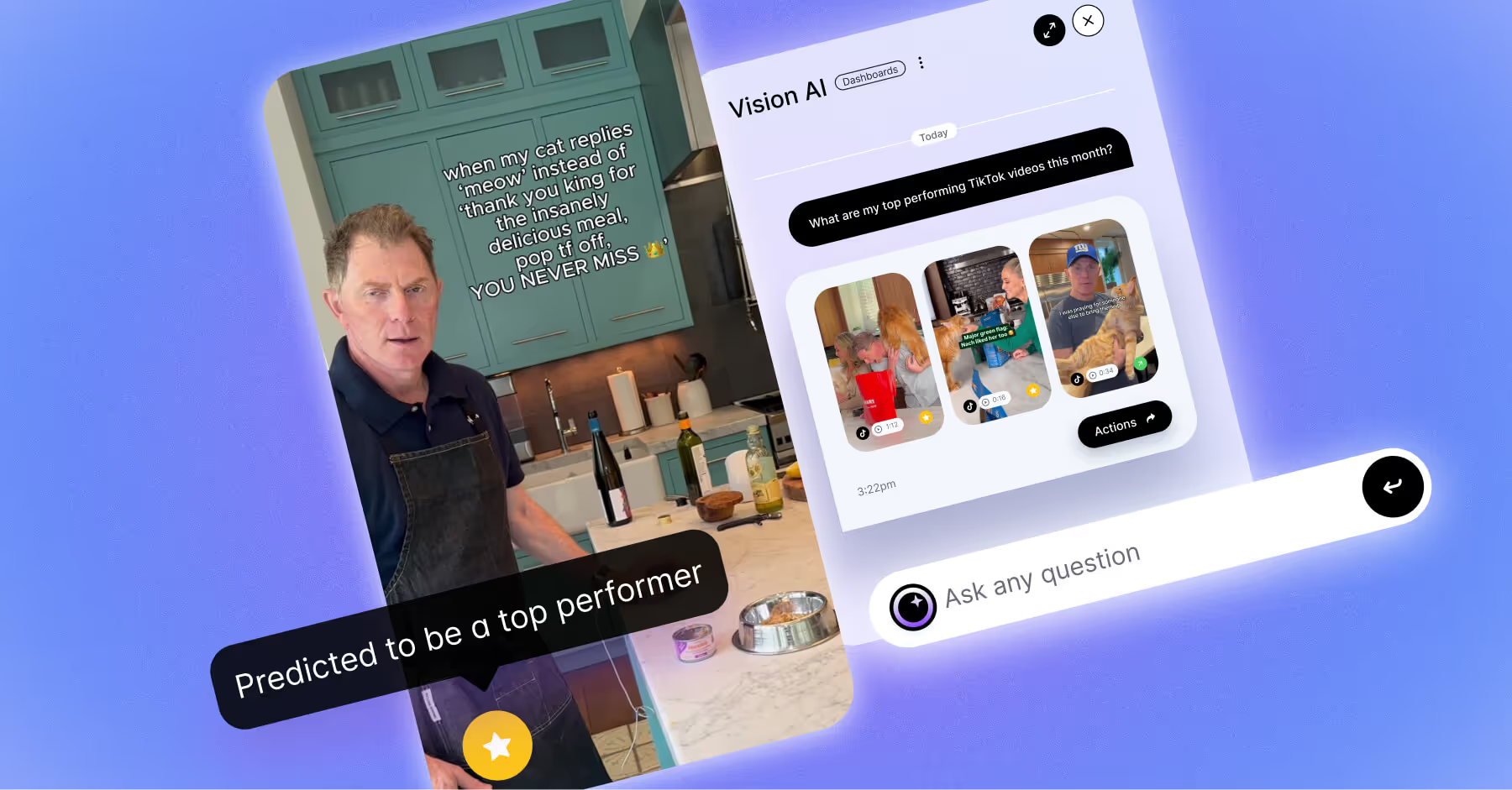
This is where AI becomes especially valuable for brands. Dash Social’s Predictive AI helps teams understand which images and videos are most likely to perform before they publish, giving marketers a smarter way to choose creative and optimize campaigns.
Maintaining brand consistency
AI can help check tone, grammar, spelling, banned phrases, accessibility, formatting, and brand guidelines. For larger teams, this reduces inconsistencies across markets, campaigns, and contributors.
10 Best AI Tools for Social Media Content Creation
The tools below support different parts of the social content lifecycle, from early ideation to creative production, video editing, content repurposing, and performance optimization.
Each roundup includes where it fits in the workflow, the type of team the tool is best suited for, key AI features, pricing, trial information, strengths, limitations, and a quick verdict to help you decide whether it belongs in your team’s stack.
1. Dash Social
Workflow fit: Generative creative, content variation, creative intelligence, campaign planning, performance prediction, and social optimization.
Dash Social is best for brand and enterprise social teams that want AI to support the entire creative lifecycle, not just generate one-off captions. With Constellation Pro, powered by Vision AI, teams can create campaign-ready content using brand intelligence, historical performance, product context, and audience signals.
While many AI tools can create content quickly, Dash Social is designed to help teams create content that is more likely to fit the brand, support campaign goals, and improve over time. Teams can generate net-new creative, turn approved assets into variations for different channels and audiences, and use performance insights to determine what to create next.
- Best for: Enterprise social teams, retail brands, beauty brands, fashion brands, CPG teams, and marketers managing high-volume social campaigns.
- Key AI features: Generative AI for campaign-ready social creative, brand-informed content generation, predictive AI content insights, and Visual IQ for identifying content trends and performance patterns.
- Pros: Connects AI content creation to social performance, helps teams scale creative while staying on-brand, and is a strong fit for enterprise and multi-channel social teams.
- Limitations: Best suited for teams looking for a broader social media and creative intelligence platform, not a lightweight caption-only tool.
- Pricing: Custom pricing for the Enterprise-level plan. Demo and 14-day trial available.
Dash Social is the strongest fit for brands that want AI to help them create better-performing social content, not just more content.
2. ChatGPT
Workflow fit: Ideation, caption writing, campaign planning, rewriting, scripting, and repurposing.
ChatGPT is a flexible AI tool for brainstorming, drafting, editing, and repurposing social content. Social teams can use it to generate caption options, campaign concepts, video scripts, content calendars, post variations, and community response drafts.
It works best when prompts include context such as audience, platform, campaign goal, tone of voice, and examples of past content. While it can speed up copy production, every output should still be edited for accuracy, originality, and brand fit.
- Best for: Social media managers, creators, marketers, and teams that need fast ideation and copy support.
- Key AI features: Prompt-based content generation, caption and hook writing, tone and format variations, content calendar support, script and campaign concept generation.
- Pros: Extremely flexible across many content tasks, useful for fast brainstorming and copy variations, easy to test with a free plan.
- Limitations: Outputs require fact-checking, editing, and brand voice review.
- Pricing: Business plan starts at $20 per user per month, with custom pricing for the Enterprise tier. Free plan available.
ChatGPT is best for teams that need a versatile AI writing and ideation partner, especially when paired with strong prompts and human editing.
3. Canva
Workflow fit: Graphic design, templates, carousels, image editing, resizing, and visual asset creation.
Canva is a strong option for teams creating a lot of social graphics, templates, carousels, stories, and campaign assets. Its AI-assisted design tools can help generate layouts, resize assets, edit images, create branded visuals, and adapt content across platforms.
For social teams, Canva is especially useful when speed and consistency matter. Teams can build reusable templates and use AI features to accelerate production while keeping creative aligned with brand guidelines.
- Best for: Social teams, creators, small businesses, and marketers creating frequent visual content.
- Key AI features: AI-assisted design, AI image generation, magic resizing, background removal, and branded templates and content kits.
- Pros: Easy for non-designers to use, strong template library for social content, good for fast, consistent visual production.
- Limitations: Creative can feel generic if teams rely too heavily on templates without customization.
- Pricing: Business plan starts at $25 per user per month, with custom pricing for the Enterprise tier. Trial offers change frequently. Free plan also available.
Canva is a strong choice for teams that need to create polished social visuals quickly and consistently.
4. Adobe Express
Workflow fit: Visual creation, campaign graphics, image editing, resizing, and branded asset production.
Adobe Express helps teams create sleek visuals for social using templates, generative AI, quick edits, and brand assets. It’s useful for marketers who want a lightweight creative tool with some of the polish associated with Adobe’s broader creative suite.
Teams can use Adobe Express to create campaign graphics, resize visuals, edit images, generate creative elements, and maintain a more consistent look across social channels.
- Best for: Marketing teams, creators, and brands that want polished social assets with accessible design tools.
- Key AI features: Generative image tools, quick image and video edits, template-based design, background removal, and brand kit support.
- Pros: Strong design polish, useful for branded visual content, good fit for teams already using Adobe products.
- Limitations: More advanced creative workflows may still require access to the full Adobe Creative Cloud suite.
- Pricing: Teams plan starts at $4.99 per license per month with a 14-day trial. Custom pricing for the Enterprise plan. Free plan available.
Adobe Express is a top pick for teams that want quick, polished social creative with stronger design control than basic template platforms.
5. CapCut
Workflow fit: Short-form video editing, captions, templates, effects, resizing, and platform-specific video production.
CapCut is built for short-form video creation, making it a strong fit for TikTok, Instagram Reels, YouTube Shorts, and other video-first platforms. Its AI features include editing, auto-captions, background removal, templates, effects, and resizing.
For social teams producing high volumes of short-form video, CapCut can speed up editing and help creators adapt content quickly for different channels and trends.
- Best for: Social teams, creators, and brands producing frequent short-form video.
- Key AI features: AI video editing, auto captions, templates and effects, background removal, video resizing and format adaptation.
- Pros: Strong fit for TikTok/Reels-style workflows, fast editing for social-first video, useful templates and captioning tools.
- Limitations: Pricing and feature availability can vary by region and device.
- Pricing: Pricing can vary by region, device, and available promotions. Expect as low as $19.99 monthly. 7-day trial available in eligible countries/regions.
CapCut is one of the leading tools for teams prioritizing fast, platform-native short-form video creation.
6. Descript
Workflow fit: Video editing, audio editing, transcription, clip creation, captions, and content repurposing.
Descript is useful for teams repurposing video, audio, webinars, interviews, podcasts, and thought leadership into social content. Its transcript-based editing makes it easier to cut clips, remove filler words, add captions, and edit content without traditional video editing workflows.
For B2B and brand teams, Descript can help turn long-form content into shorter assets for LinkedIn, YouTube Shorts, Instagram, TikTok, and paid social.
- Best for: B2B marketers, podcast teams, video teams, and brands repurposing long-form content.
- Key AI features: Transcript-based editing, filler-word removal, clips and captions, audio clean up, and overdub-style editing.
- Pros: Makes video and audio editing easier for marketers, great for repurposing long-form content, and has a strong transcription and captioning workflow. Limitations: Less focused on net-new social creative than tools built specifically for social post generation.
- Pricing: Business plan starts at $65 per month per person. Custom pricing for the Enterprise-level plan. Free plan available.
Descript is a great choice for teams that already create long-form video or audio and want to turn it into social-ready content faster.
7. OpusClip
Workflow fit: Long-form to short-form video, clip selection, captioning, reframing, and repurposing.
OpusClip is designed to turn long-form video into short-form clips. It uses AI to identify strong moments, create clips, add captions, reframe content, and support short-form distribution across platforms.
It’s especially helpful for teams that already produce webinars, interviews, podcasts, livestreams, events, or long-form videos and want to create more social content from those assets.
- Best for: Teams repurposing webinars, interviews, podcasts, livestreams, events, and long-form videos.
- Key AI features: AI clip selection, virality scoring, auto captions, smart reframing, and short-form video generation.
- Pros: Excellent for getting more value from existing video, speeds up short-form clip creation, good fit for teams with lots of video assets.
- Limitations: Works best when the source video already has strong moments or clear segments.
- Pricing: Pro package starts at $29 per month for 2 seats, trial available. Custom pricing for the Enterprise-level plan.
OpusClip is best for teams that want to turn long-form content into short-form social posts quickly.
8. Runway
Workflow fit: Generative video, image-to-video, video editing, motion, effects, and campaign concepting.
Runway is a creative AI platform for video generation, editing, visual effects, and experimental campaign content. Teams can use it for generative video, background removal, motion tools, image-to-video workflows, and creative concepting.
It’s best suited for teams that want to experiment with AI-generated video or bring more advanced creative effects into social campaigns.
- Best for: Creative teams, video marketers, agencies, and brands experimenting with AI-generated video.
- Key AI features: Generative video, background removal, motion and visual effects tools, image-to-video creation, and creative editing workflows.
- Pros: Strong advanced AI video capabilities, good for creative experimentation, useful for campaign concepting and visual effects.
- Limitations: AI-generated video may still need human editing and brand review before publishing.
- Pricing: Max package starts at $95 per month. Custom pricing for the Enterprise-level plan. Free plan available.
Runway is best for teams experimenting with AI video production and more advanced creative workflows.
9. Jasper
Workflow fit: Campaign copy, social captions, ad copy, brand voice, messaging, and content variation.
Jasper is built for marketing copy and brand voice. Social teams can use it to create captions, ad copy, campaign messaging, product copy, email copy, and content variations while maintaining a more structured brand voice system.
It’s especially useful for teams producing content across multiple marketing channels, not just social. Jasper works best when teams have clear messaging guidelines and want repeatable AI-assisted copy workflows.
- Best for: Marketing copy and brand voice.
- Key AI features: AI campaign generation, brand voice tools, social and ad copy creation, content templates, team workflows, and governance.
- Pros: Stronger brand voice controls than many generic writing tools, useful for multi-channel marketing copy, good fit for repeatable campaign workflows.
- Limitations: Higher cost of entry than lightweight AI writing tools.
- Pricing: Pro package starts at $69 per month for 1 seat, 7-day trial available. Custom pricing for the Enterprise-level plan.
Jasper is best for marketing teams that need AI-generated copy with more structure, brand-voice support, and campaign consistency.
10. Predis.ai
Workflow fit: Social post generation, captions, carousels, videos, ecommerce content, ads, and scheduling.
Predis.ai is a social-focused AI content creation tool that can help generate posts, captions, videos, carousels, ecommerce creatives, and social content ideas. It’s more specific to social media than many general AI writing tools.
For teams creating frequent product, campaign, or promotional content, Predis.ai can help speed up asset ideation and production, especially for brands that need a steady stream of social posts.
- Best for: Social posts, carousels, and product content.
- Key AI features: AI post generation, caption and hashtag support, carousels and video creation, ecommerce creative generation, publishing and scheduling support.
- Pros: More social-specific than general copy tools, useful for frequent posts and product content creation, supports several content formats in one place.
- Limitations: May not offer the same enterprise-level governance or creative intelligence as larger platforms.
- Pricing: Enterprise Plus starts at $249 per month for unlimited brands. 7-day trial available.
Predis.ai is a solid pick for teams that want a social-first AI tool to quickly create posts, carousels, videos, and promotional content.
How To Choose the Right AI Content Creation Tool for Social Media
The best tool always depends on where your team needs the most support. Before choosing a platform, ask yourself:
- Do we need help creating more content, or better-performing content?
- Are we focused on captions, visuals, video, scheduling, analytics, or approvals?
- Does the tool support our brand voice and compliance needs?
- Can it work across the platforms we use most?
- Does it improve our workflow, or just add another tool to manage?
- Can we measure whether AI-assisted content performs better?
For growing brand teams, the strongest AI stack usually includes tools for creation, editing, publishing, and performance analysis. Dash Social is especially valuable when teams need to connect creative decisions to actual social performance.

AI Social Media Content Creation Workflow for Brand Teams
To be successful with almost any plan, you need to start with a solid foundation. A clear workflow is needed before layering in any AI functionality to your social media strategy. For brand teams, the goal with using AI is to move faster while keeping content strategic, accurate, on-brand, and tied to performance. A strong workflow should combine AI-generated ideas with human creative direction, brand review, and social data.
A strong AI-assisted workflow might look like this:
- Define the campaign goal, audience, platform, and message.
Start with the basics: what the content needs to achieve, who it’s for, where it will be published, and what the audience should take away. - Use AI to brainstorm angles, hooks, captions, and creative directions.
Feed AI tools details about the campaign, brand voice, audience, product, and platform to generate more relevant ideas. - Create or adapt visuals and videos for each channel.
Use AI design and video tools to resize assets, generate variations, add captions, test formats, and adapt creative for TikTok, Instagram, LinkedIn, YouTube Shorts, or paid social. - Review for brand voice, accuracy, accessibility, and compliance.
A human should check every AI-assisted asset before publishing. Look for factual accuracy, tone, originality, accessibility, legal concerns, and brand fit. - Use predictive insights to choose the strongest creative.
Instead of guessing which asset will perform best, use AI-powered insights to identify creative patterns, visual themes, and formats that are more likely to resonate. - Schedule and publish content.
Once assets are approved, organize posts by campaign, channel, format, and timing so your team can manage publishing consistently. - Measure performance and feed learnings back into the next campaign. Track engagement, views, saves, shares, clicks, conversions, and creative performance. Use those learnings to improve future prompts, briefs, visuals, and campaign strategy.
Brand teams shouldn’t be aiming to automate the entire process. The goal here is to make every step more strategic, informed, and efficient.
Risks of AI-Generated Social Content
Sure, AI can help social teams create content faster, but speed can create problems too if there is no review process in place. For brands, the biggest risk isn’t that AI gets used. It’s that AI-generated content gets published without enough context, originality, or human judgment.
Common risks include:
- Generic captions that sound like every other brand: AI often defaults to broad, polished language unless it’s given strong brand-voice guidance.
- Off-brand tone or messaging: AI may create copy that sounds too casual, too promotional, too vague, or misaligned with your audience.
- Inaccurate claims: AI can make up facts, statistics, product details, or performance claims if outputs are not reviewed.
- Repetitive creative concepts: Without strong prompts and fresh inputs, AI can produce similar ideas across campaigns.
- Poor accessibility: AI-generated content may miss alt text, clear captions, readable formatting, or inclusive language.
- Legal or usage concerns around AI-generated assets: Teams need to understand where generated images, videos, music, or copy can be used commercially.
- Over-reliance on automation instead of audience insight: AI can support content creation, but it cannot replace social listening, community context, trend awareness, or performance analysis.
It’s a simple fix: include a clear review process. Before publishing any AI-assisted post, check it for:
- Accuracy: Are product details, claims, stats, and campaign messages correct?
- Originality: Does the post feel specific to your brand, or could any competitor have published it?
- Brand fit: Does it match your tone, visual identity, values, and audience expectations?
- Platform fit: Does the format, length, hook, and creative style make sense for the channel?
- Accessibility: Are captions, alt text, contrast, and readability taken into account?
- Compliance: Are legal, usage rights, disclosures, and approval requirements covered?
- Performance potential: Does the creative align with what has historically worked for your audience?
AI-generated content should still feel human, useful, and brand-specific. The teams that will see the most success use AI to accelerate production while keeping people responsible for strategy and final approval.
AI Prompts for Social Media Content Creation
To get better results from AI tools for content creation, give them clear context from the start. Instead of asking for a generic caption or post idea, include details about your brand, audience, platform, campaign goal, product, tone of voice, and desired format. The more specific the prompt, the more useful the output will be.
A strong AI prompt should include:
- Brand context: What kind of brand are you?
- Audience: Who are you trying to reach?
- Platform: Where will the content be published?
- Goal: Are you driving awareness, engagement, clicks, sales, saves, or conversions?
- Tone: Should the content sound playful, expert, premium, conversational, bold, or educational?
- Format: Do you need captions, hooks, carousels, scripts, video concepts, or ad variations?
- Constraints: Are there words, claims, hashtags, CTAs, or compliance details to include or avoid?
Caption Prompt
Write 10 Instagram caption options for a [brand type] promoting [campaign/product]. The audience is [audience], the tone should be [tone], and the goal is [goal]. Include 3 short captions, 3 medium captions, 3 playful captions, and 1 conversion-focused caption. Avoid [words/claims to avoid] and include a CTA to [desired action].
Repurposing Prompt
Turn this blog post into 5 LinkedIn posts, 3 Instagram carousel ideas, 5 short-form video hooks, and 3 X/Twitter posts. Keep the tone [tone], make the content useful for [audience], and focus on [main takeaway]. Include a suggested CTA for each format.
Creative Testing Prompt
Give me 10 visual concepts for a social campaign about [topic]. For each concept, include the creative idea, target audience, suggested platform, recommended format, likely audience appeal, and the performance signal it’s designed to improve, such as saves, shares, comments, click-through rate, or video completion rate.
Short-Form Video Prompt
Create 10 short-form video ideas for [platform] about [topic/product]. Each idea should include a hook, a scene-by-scene outline, a caption, on-screen text, and a CTA. Keep the videos under [length] seconds and make the tone [tone].
Before publishing, treat AI-generated prompts as a starting point. Review every output for accuracy, originality, platform fit, brand voice, and audience relevance.

Will AI Content Creation Replace Your Social Team?
AI isn’t meant as a substitute for your social team. While we can use creativity and strategic thinking to prompt AI to help build content, an algorithm can’t replicate the nuance, intuition, and originality that come from human creators. It’s important to communicate this with your wider team, especially if there’s a perception that AI can reliably produce high-quality, on-brand content on its own.
AI should be seen as a valuable tool. One that can automate repetitive tasks, surface helpful insights, and free up your team's time to focus on the higher-level creative work that really drives impact.
Social Media Content Creation and AI FAQs
What is the best AI tool for social media content creation?
The best AI tool depends on your goal. Dash Social is best for brands that want to connect AI with creative performance and social insights. Canva and Adobe Express are useful for visuals, ChatGPT and Jasper are useful for copy, and Runway is useful for video creation.
Can AI create social media posts?
Yes. AI can help create captions, hashtags, visuals, videos, scripts, and post variations. However, social teams should always review AI-generated content for accuracy, tone, originality, and brand fit before publishing.
How can brands use AI to create social media posts?
Brands can use AI to brainstorm ideas, write captions, repurpose content, generate visuals, edit videos, predict creative performance, identify trends, and improve reporting. The most successful teams use AI as a creative and strategic assistant, not a replacement for human judgment.
How do you keep AI-generated social content on-brand?
Start with clear brand guidelines, including tone, vocabulary, visual style, banned phrases, audience details, and examples of strong past content. Then review every AI output before publishing. Tools that support brand voice, approvals, and performance analysis can make this process more consistent.
How to find AI tools for generating social captions and hashtags?
The simplest way to find AI tools for generating social captions and hashtags is to search for keywords such as “AI caption generator” or “AI hashtag generator” on Google, in tool directories, or on AI platforms like ChatGPT. You can also explore curated lists (think “Best AI tools for social media captions or hashtags”) to compare features across multiple platforms.